Every now and then my modem is losing it’s Internet connection. As I login to the UI, it looks like the date/time has been reset. I somehow got the suspicion that this might lead to new connections to fail - due to huge time difference.

So, as a registered geek of course I want to remote login into the modem box and correct the date time settings. The modem is an Airties5760, and it turns out that they’ve been running BusyBox (a very tiny unix like single binary OS).
So, the first hint: Whether you telnet from a Windows or ssh from a mac, use root as the login user (not admin - but the password is the same for root & admin)
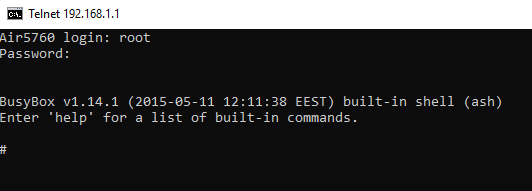
OK I’m in, how do I change the date?
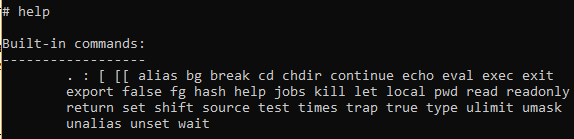
so “date” command is our guy, but what’s the format? There seems to be too many implementations - believe me I’ve tried all.

so without further ado, the command should be like this:
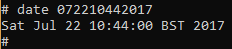
date mmddhhmmyyyy
i.e. in order to set the date to 22/07/2017 and time to 10:44, you would need the following command line:
On few occasions - after adjusting the date/time - the modem connect in just few minutes to the service provider but I still suspect it has nothing to do with that. It still feels good to kinda hack into the silly modem box - but not as good as you would tell this as a story to your grand-kids.